

AirCodec
One PC. Five codecs.
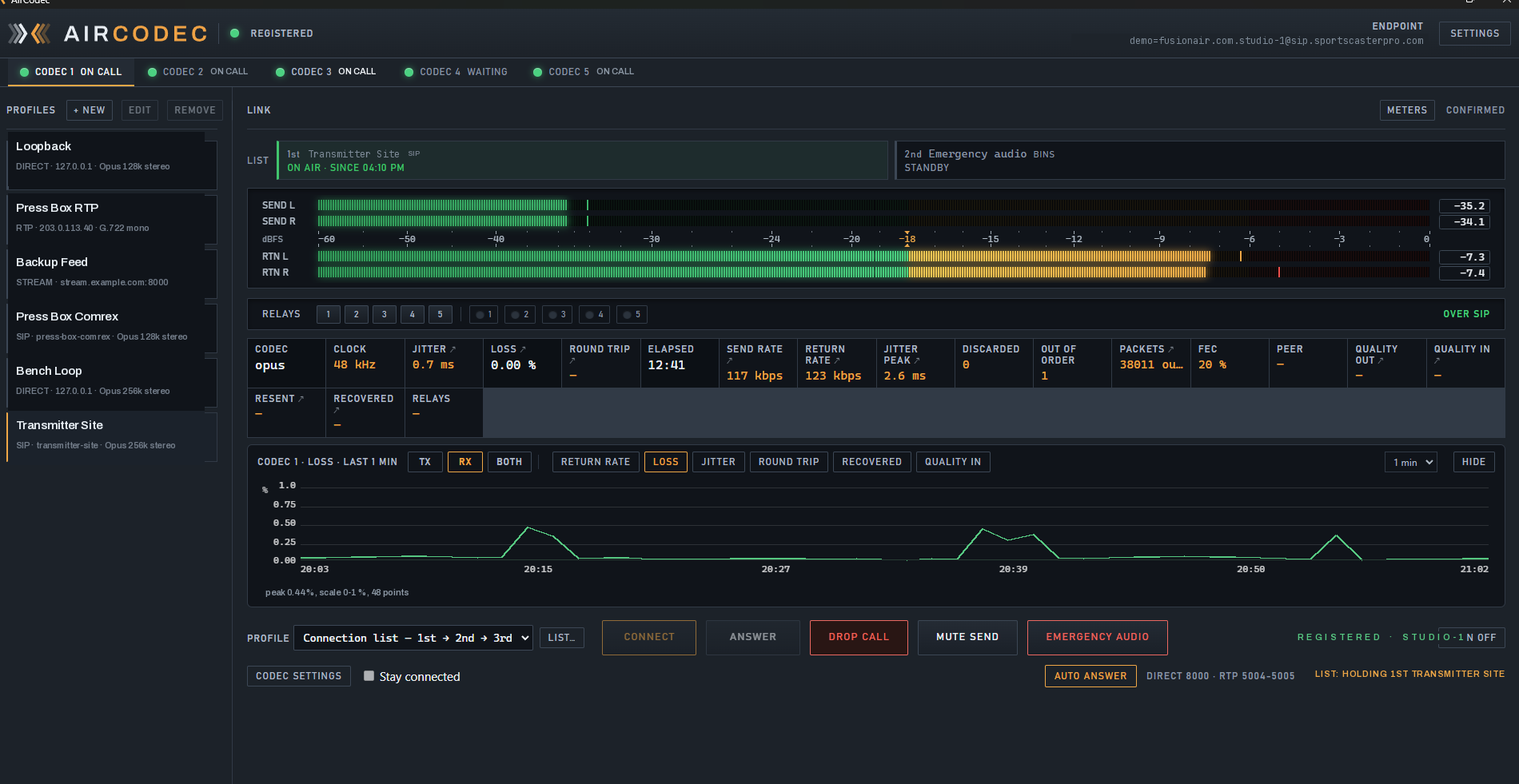
A software broadcast codec for Windows that runs up to five independent codec instances on one machine — and calls the hardware you already own. Comrex. Tieline. Barix. RØDECaster. SportsCaster Pro. Any EBU 3326 unit. Dialed by name over SIP, or point to point over RIST with error correction.
 Open full size
Emergency programming that still identifies on the hour
When every connection in the list has failed, the codec plays its own programming from this box — songs and sweepers in rotation, and the break after the song playing at the top of the hour becomes the legal ID, played clean with nothing under it. As close to the hour as practicable, at a natural break: the way the rule reads.
- Three connections in order, then emergency audio
- Quiet testing of the slots above, with the return muted so none of it is heard
- Back on air with no gap the moment one proves stable
- Picks it all back up by itself after a reboot
Emergency audio with no legal ID at the top of the hour is illegal audio. §73.1201 requires identification hourly, as close to the hour as feasible, at a natural break — for as long as the station is operating. A studio link failing does not pause that obligation; the transmitter is still on. Songs and sweepers alone keep the carrier modulated and leave you out of compliance, so a codec with no legal ID loaded is flagged in red and reported over SNMP.
It calls the hardware already in your rack
Three ways in, picked per connection. SIP dials the far end by name through the registration server — register a Comrex, a Tieline, a RØDECaster or any EBU 3326 unit on the same account and it is reachable even behind a hotel network. Direct is AirCodec to AirCodec over RIST on a port pair of its own, with a connection password on the way in. RTP points straight at a fixed address for legacy gear.
- SIP — by name, nothing published, works behind NAT
- Direct — RIST, error corrected, its own port pair per codec
- RTP — straight to an address, with a Comrex preset
- Stream and Barix for what is already in the plant
SIP finds the far end by name; Direct holds the link that has to stay up, on its own ports, behind a password.
RDS and data
Your RDS rides with your audio
The automation that knows what is playing is at the studio. The encoder that puts it on air is at the transmitter. AirCodec joins them on the link you already have — no second connection, no VPN, no data service.
- As many routes as you need — FM RDS, HD channels, site equipment
- Port ranges, and TCP or UDP per route
- The encoder's replies come back the same way
- Encrypted with the audio on a Direct link with a connection password
What is in it
Every license is the whole product — no codec pack to buy on top, no monitoring add-on, no cut-down edition. Pick a card to go deeper.
- SIP — dial the far end by name through the registrar
- Direct — point to point over RIST, error corrected, behind a password
- RTP — straight to a fixed address, with a Comrex preset
- Stream — take an Icecast or Shoutcast feed as the return
- Barix — send to one, take from one, or both at once
All the codecs that matter
- Opus — broadcast quality down to a trickle, for cellular and bad paths
- Linear PCM — no codec in the chain at all, for an STL with the bandwidth
- G.722 and G.711 — for anything that only speaks telephone grade
A playout engine on every codec
- Songs and sweepers in rotation
- Legal ID at the top of the hour
- Starts itself, and comes back by itself
Automation across the link
- Five contact closures each way, in time with the audio
- Standard FTDI USB relay boards — eight outputs, with test keys
- Drops a transmitter when the audio is truly dead
Not an open door on the internet
- Connection password, or no session
- Credentials provisioned, never typed
- SNMP is read only
Everything about the link, on one page
- Send and return meters, twelve styles including VU needles
- Jitter and its peak, loss, round trip, send and return rate, FEC, link quality
- Buffer fill, prebuffer, dropped and starved when you are on a stream
- Click any figure for its own 24-hour graph
- An activity log that says what the codec did, and why
Built for Broadcast Network Monitor
- Watched from outside your network
- Alerts, dial-outs and escalation
- 30 days of history kept online
- Song titles to the transmitter on the codec link
- No second connection, VPN or data service
- Encrypted with the audio on a Direct link
- Replies from the encoder come back
- Comrex
- Tieline
- RØDECaster Pro II and Duo
- Barix Exstreamer and Instreamer
- SportsCaster Pro
- Another AirCodec
- Any EBU 3326 / SIP codec
It tells you what it is doing
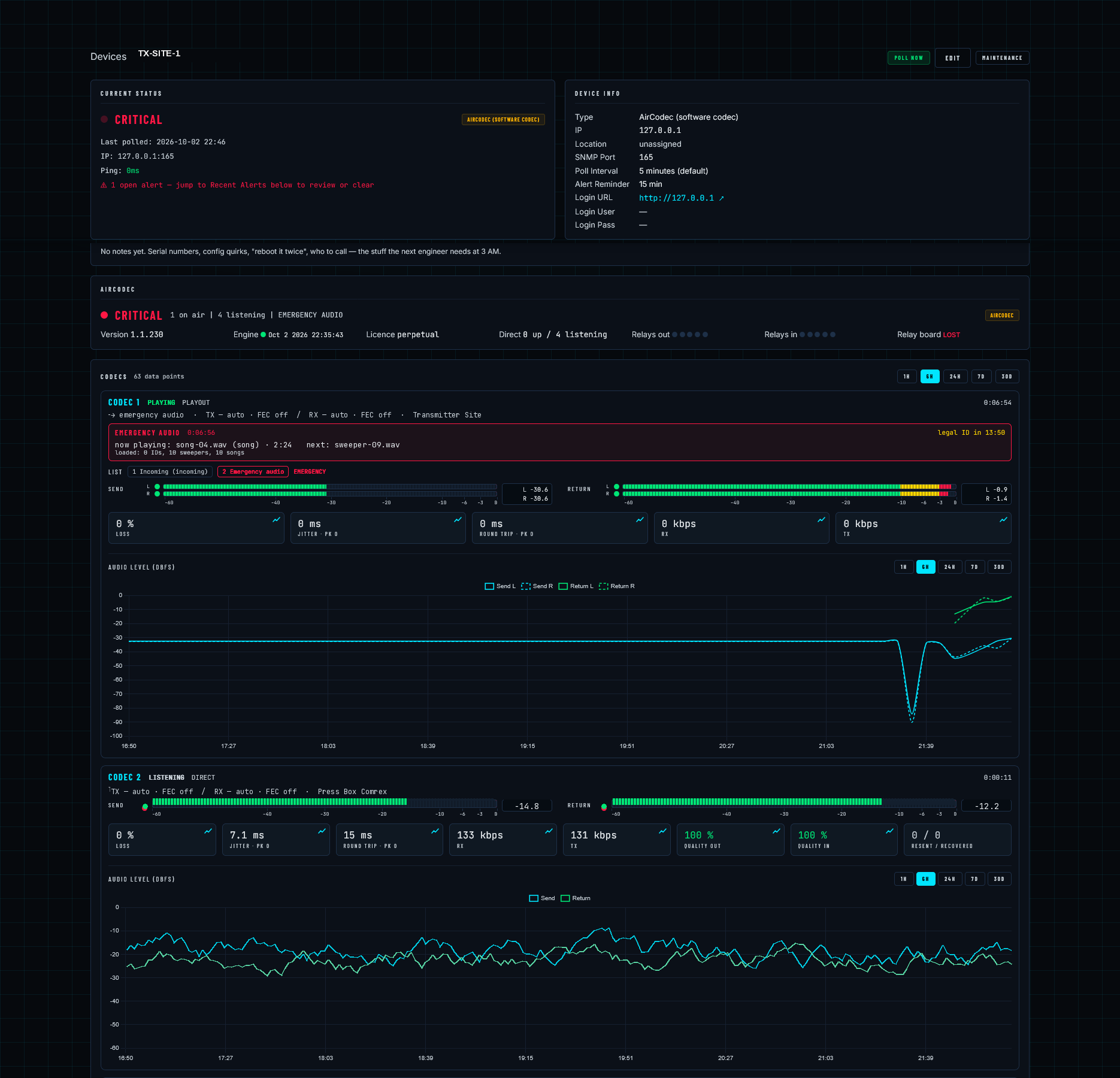
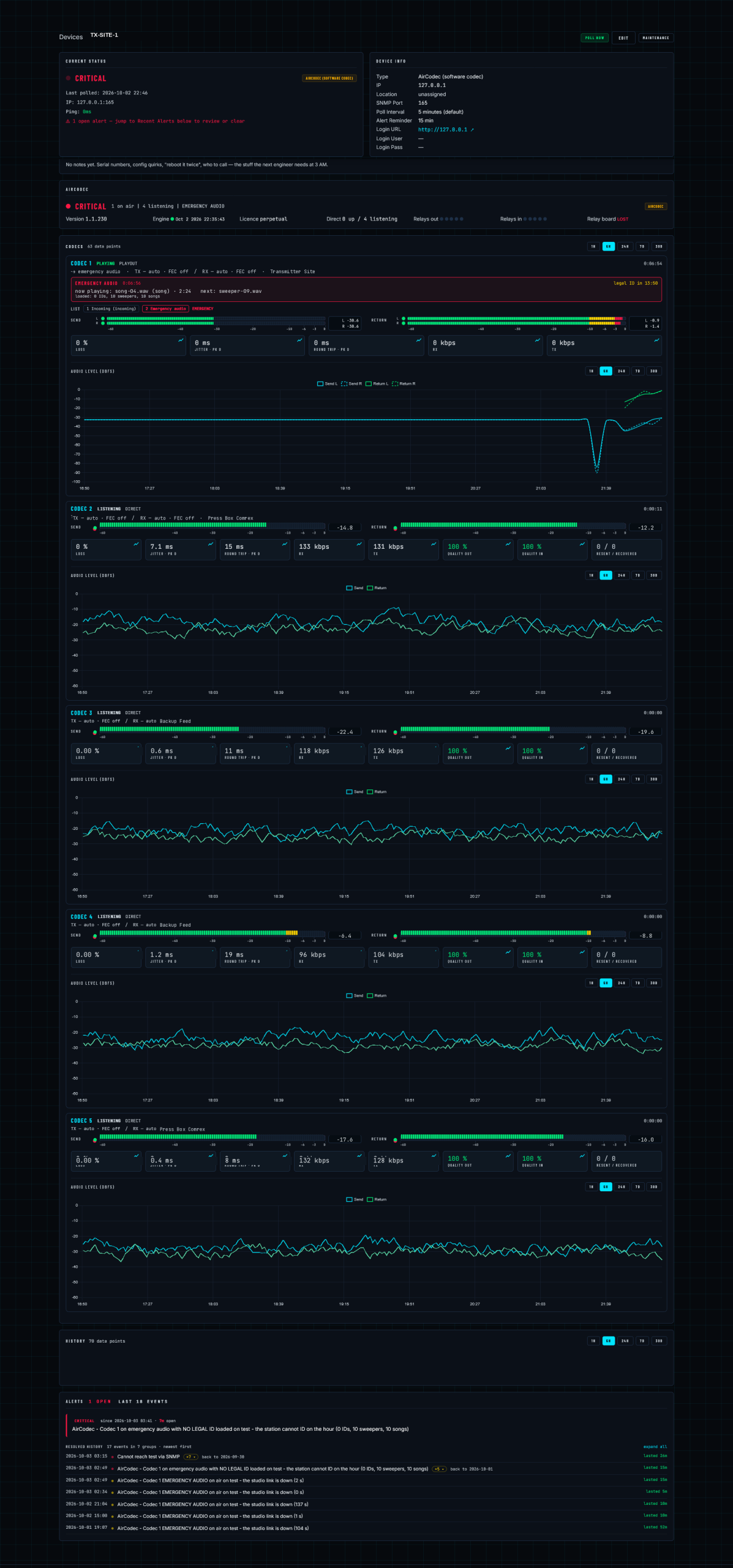
24 hours of per-minute link history on disk, surviving restarts, behind every cell on the readouts grid. An activity log written in words an operator reads. And a full SNMP v2c agent with its own MIB, so the codec appears in Broadcast Network Monitor — or any NMS — as a device like any transmitter or switch.
Put it on Broadcast Network Monitor and it stops being a screen you have to watch. BNM polls all five codecs from outside the plant, keeps the history past the 24 hours the box holds, and when something is wrong it tells you in words and then it calls you.
This is why AirCodec does not send its own emails. A site that has lost its internet cannot send you anything — the one message you actually needed is the one that never leaves the building. The alert has to come from something still on the network, looking in from outside.
- It watches — every codec's state, levels, loss, jitter, round trip and rates, on one device page
- It tells you what is wrong — not "OID went non-zero" but emergency audio is on air, the studio link is down
- It calls you — dial-outs, email and escalation on your own contact rules and schedules
- It keeps chasing — an alert stays open until the condition clears, and the duration is recorded
- It raises the work — a work order off the alert, with the site notes attached
- It catches the silent one — a codec on emergency audio with no legal ID loaded is a license problem no threshold would ever find
 Open full size
Licensed per codec. Buy what you actually run.
One license is one codec instance. The software runs up to five on a single PC, so a site that needs one studio link buys one — and a site that needs a studio link, a press-box channel and a backup path buys three.
$499.99
per codec instance
Bought outright and activated per machine, with a grace period that keeps the air chain up through a renewal. Add instances to the same PC as you need them, up to five.
Talk to us about AirCodec Learn more about pricing →- 1 codecOne studio-to-transmitter link
- 3 codecsStudio link, press box, backup path
- 5 codecsThe full box, all five channels
AirCodec
Put AirCodec in your rack.
Tell us what is on the other end and what the path between you looks like, and we will tell you straight whether AirCodec does the job — and which transport and codec to start from.