

AirCodec built in
Calls the studio.
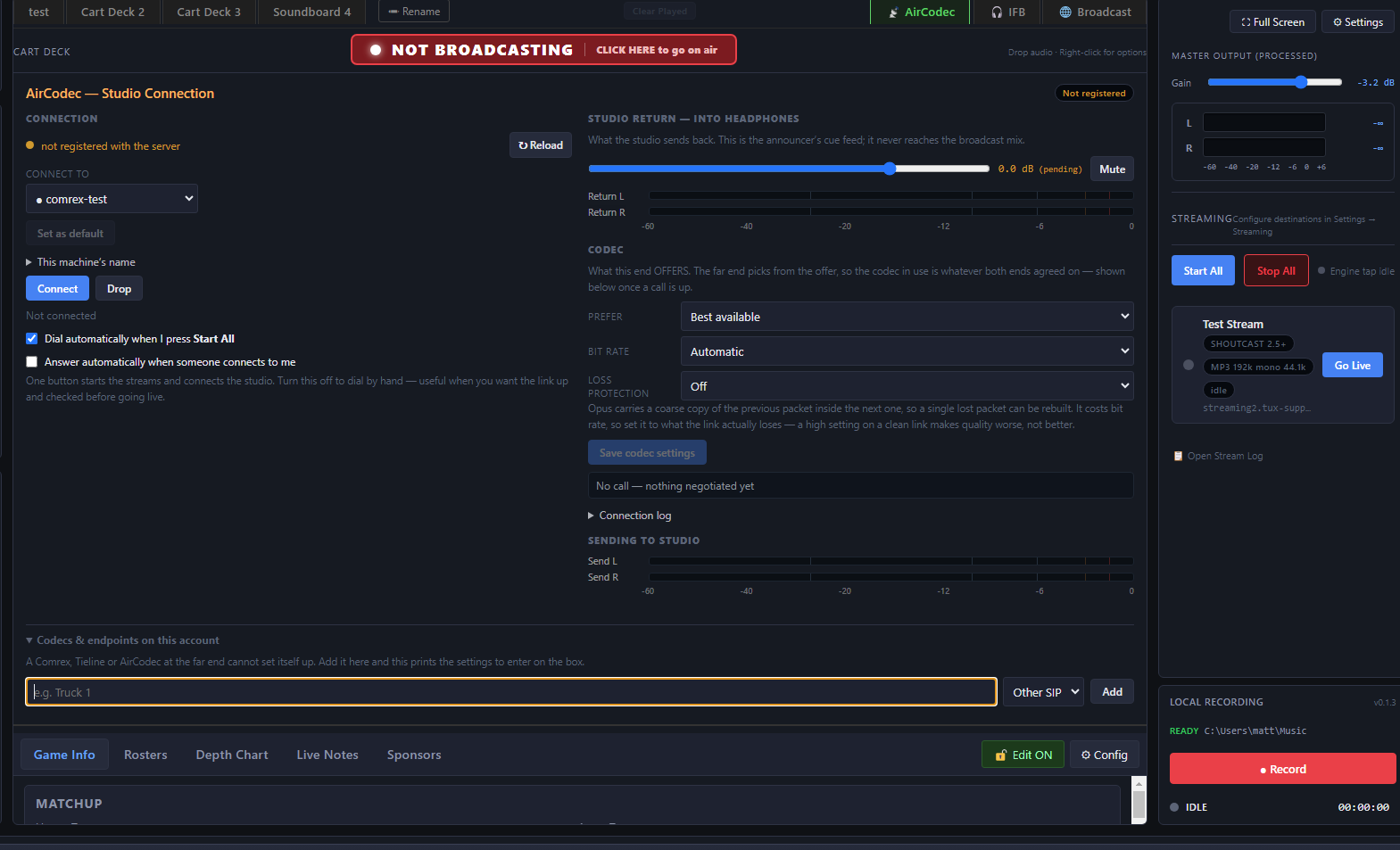
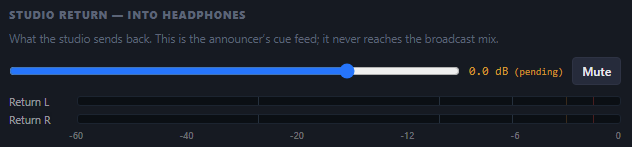
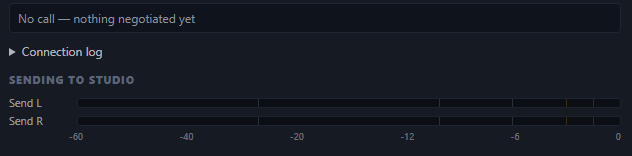
SportsCaster Pro has AirCodec inside it: a broadcast codec that calls the studio over the internet using SIP, the same standard Comrex, Tieline and the other codec makers use to call each other. Your program goes out to the studio, and the studio's return comes back into your headphones.
Press Start All and it dials the studio while every stream goes live.
 Enlarge
How it worksSeven parts of the AirCodec tab. Click any one to see it up close.
- 1Pick the studio
- 2One button for everything
- 3Hear the studio
- 4Codec and bit rate
- 5Loss protection
- 6Watch the link
- 7Add the far end
 Enlarge
1 of 7
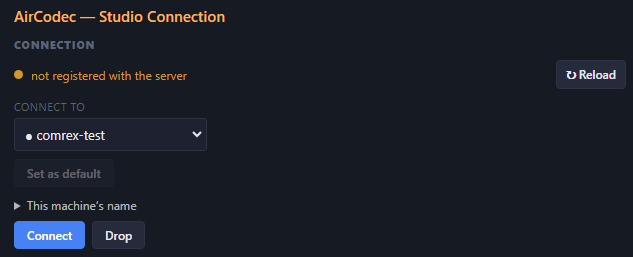
Pick the studio
You
Choose the studio from Connect to, set it as the default so it is ready every game, and give this machine a name.
SportsCaster Pro
Registers with the SIP server and shows you whether it is registered, so you know the studio can reach you before the game starts.
 Enlarge
2 of 7
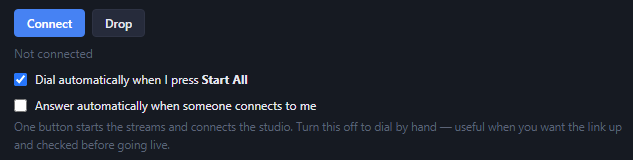
One button for everything
You
Tick Dial automatically when I press Start All.
SportsCaster Pro
Starts every stream and connects the studio from one press. Untick it to dial by hand with Connect and Drop, handy when you want the link up and checked before going live. Tick Answer automatically and the studio can call you.
 Enlarge
4 of 7
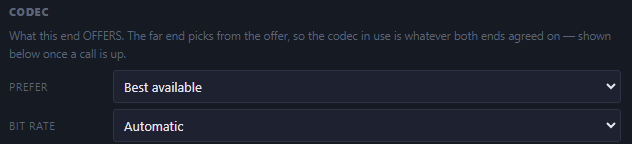
Codec and bit rate
You
Leave Prefer on Best available and Bit rate on Automatic.
SportsCaster Pro
Offers the best codecs it has, and the far end picks one you both understand. On Automatic it works out what the internet connection where you are can carry, and sets the bit rate to match.
 Enlarge
5 of 7
Loss protection
You
Set Loss protection to what your connection actually loses.
SportsCaster Pro
Forward error correction: each packet carries a rough spare copy of the one before it, so a single lost packet can be rebuilt. It costs bit rate, so a high setting on a clean link makes the quality worse, not better.
 Enlarge
7 of 7
Add the far end
You
Under Codecs and endpoints on this account, name the device at the studio and pick what it is: a Comrex, a Tieline, an AirCodec or another SIP device.
SportsCaster Pro
Adds it to your account on the SIP server and prints the settings to enter on that box, because a codec at the far end cannot set itself up.
SportsCaster Pro
$599
The whole remote kit on one PC, in two-channel and four-channel versions.
Requires a Behringer UMC or Focusrite Scarlett audio interface.See which models

SportsCaster Pro works with the interface through ASIO®. ASIO is a trademark of Steinberg Media Technologies GmbH, registered in Europe and other countries.
Who it calls
Any studio, any SIP device, anywhere.
SportsCaster Pro and the studio both register with our SIP server, so a call finds the other end by name, wherever it is plugged in. Once the call is up, your program goes straight to the studio and the studio's return comes straight back.
Add the studio's device to your account and SportsCaster Pro prints the settings to enter on it. Any SIP device registered to your account can be the studio end.
Your program, out to the studioThe studio return, into your headphonesEach end registers with the SIP server
The studio end can be a plain SIP phone.
It does not have to be a broadcast codec. Register a SIP phone to your account and it takes the call using G.722, or whatever codec the phone has, and the studio picks it up like any phone call.
It speaks the same standard as
Any EBU 3326 / SIP device can call SportsCaster Pro, and SportsCaster Pro can call it. That includes:
Broadcast codecs
- Comrex ACCESS
- Comrex BRIC-Link
- GatesAir Intraplex IP Link
- AirCodec
- Tieline ViA
- Tieline Gateway
- Tieline Merlin
- Tieline Bridge-IT
- AEQ Phoenix Venus
- AEQ Phoenix Mercury
- AEQ Phoenix Studio
- AETA Scoopy+
- AETA ScoopTeam
- Mayah Centauri
- Mayah GeMINI
- AVT MAGIC ACip3
- AVT MAGIC AC1
- Prodys Quantum
- Prodys Ikusnet
- Digigram Iqoya
- LUCI Live
- ipDTL
- RØDECaster Pro II
SIP phones and softphones with G.722
- Grandstream
- Yealink
- Snom
- Poly
- Cisco
- Fanvil
- Linphone
- Zoiper
- Any G.722 softphone
- and more