

Pre-flight Check
Checks the rig before you go on.
Pilots run a pre-flight check before every takeoff. SportsCaster Pro does the same for your broadcast: the moment it opens, before anything goes out, it checks that everything is working as it should.
What it checks
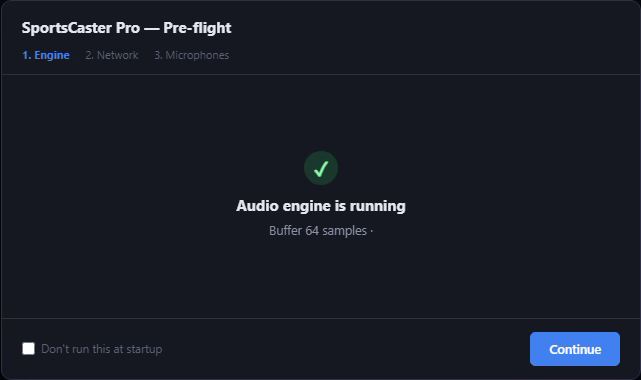
- The audio engine is running and your interface is feeding it.
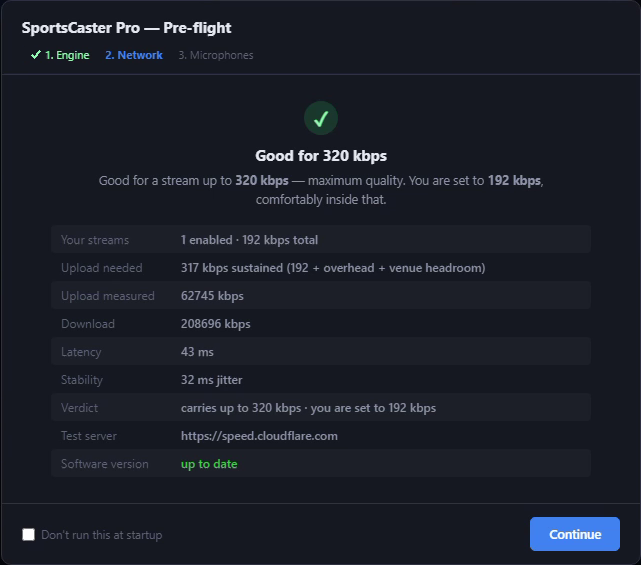
- Your internet can carry your streams, with a speed test measured against what they need.
- The software is up to date.
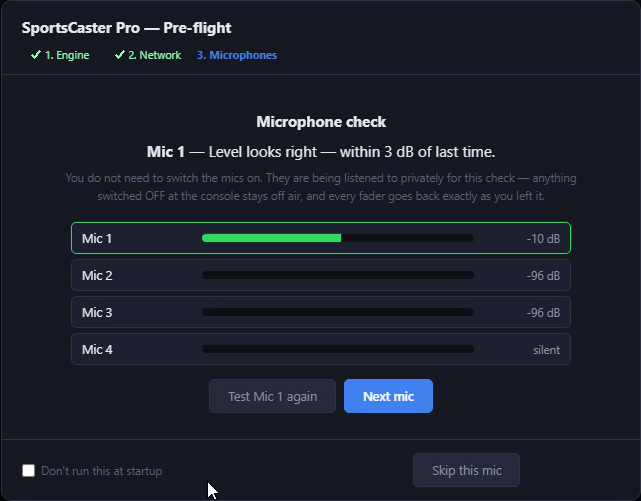
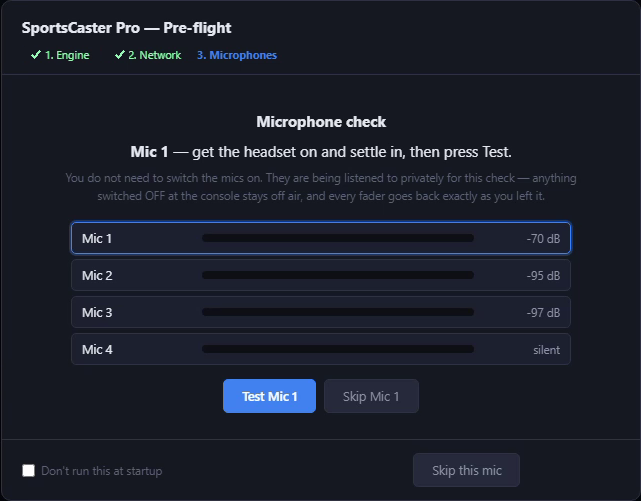
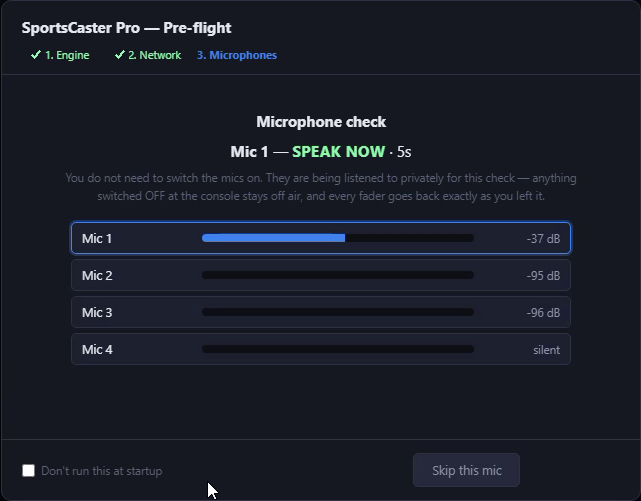
- Every microphone is at the right level, with no clipping or distortion, and sounds the way it did last time.
Why it matters
Most problems on a remote broadcast show up too late, in the middle of the first quarter: a mic that is dead or clipping, an interface that did not wake up, a venue connection that cannot carry the stream. Pre-flight finds them in the booth, while there is still time to fix them.
It never stands in your way. Any check can be skipped, and none of them will stop you getting to air.
The four checks, one after another, then you are ready to go live.
How it worksSix steps, on the real pre-flight screens. Click any one.
 Enlarge
1 of 6
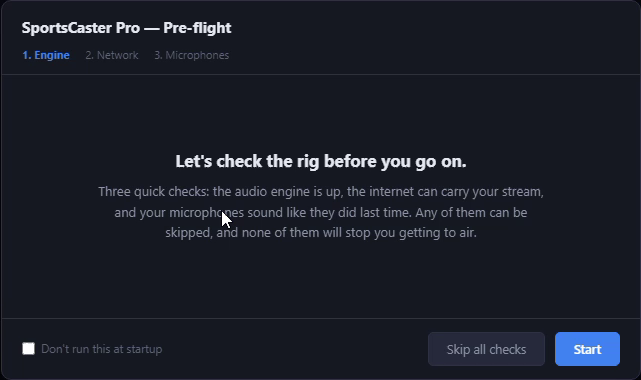
It starts on its own
You
Open SportsCaster Pro and press Start.
SportsCaster Pro
Lays out three quick checks: the audio engine, your internet, and your microphones. Any of them can be skipped, and none of them will stop you getting to air.
 Enlarge
3 of 6
Internet and updates
You
Nothing. It runs a speed test on its own.
SportsCaster Pro
Measures your upload, download, latency and jitter, works out the most your connection can carry, and checks it against what your streams need, with room to spare for a busy venue. It also confirms the software is up to date.
 Enlarge
6 of 6
The verdict
You
Press Next mic, or Test again if you want another go.
SportsCaster Pro
Compares the mic with last time. Here the level looks right, within 3 dB of last time, so the announcer will sound the way they did last game.
SportsCaster Pro
$599
The whole remote kit on one PC, in two-channel and four-channel versions.
Requires a Behringer UMC or Focusrite Scarlett audio interface.See which models

SportsCaster Pro works with the interface through ASIO®. ASIO is a trademark of Steinberg Media Technologies GmbH, registered in Europe and other countries.